
Easy Video Compressor
30-Day Money-Back Guarantee: Not satisfied? Cancel within 30 days for a full refund, no questions asked.
- Turn videos into ready-to-publish images in one click: reads frames straight from the file at original resolution, not screen grabs
- Fixed number or fixed interval capture, skip the intro, and hand-pick exact frames with frame-by-frame stepping
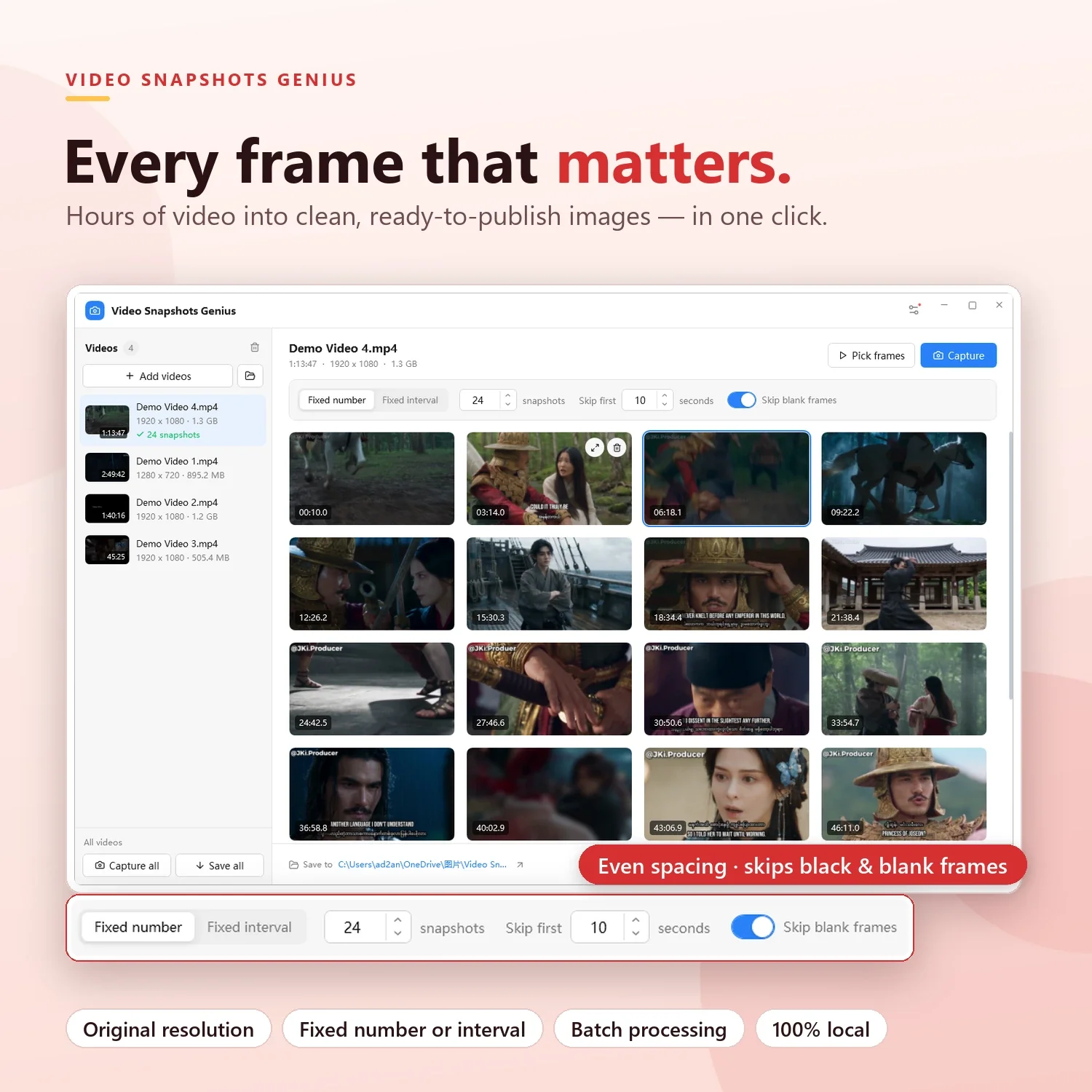
- Skip blank frames automatically: black, white and single-color frames are dropped and replaced, so 24 shots stay 24
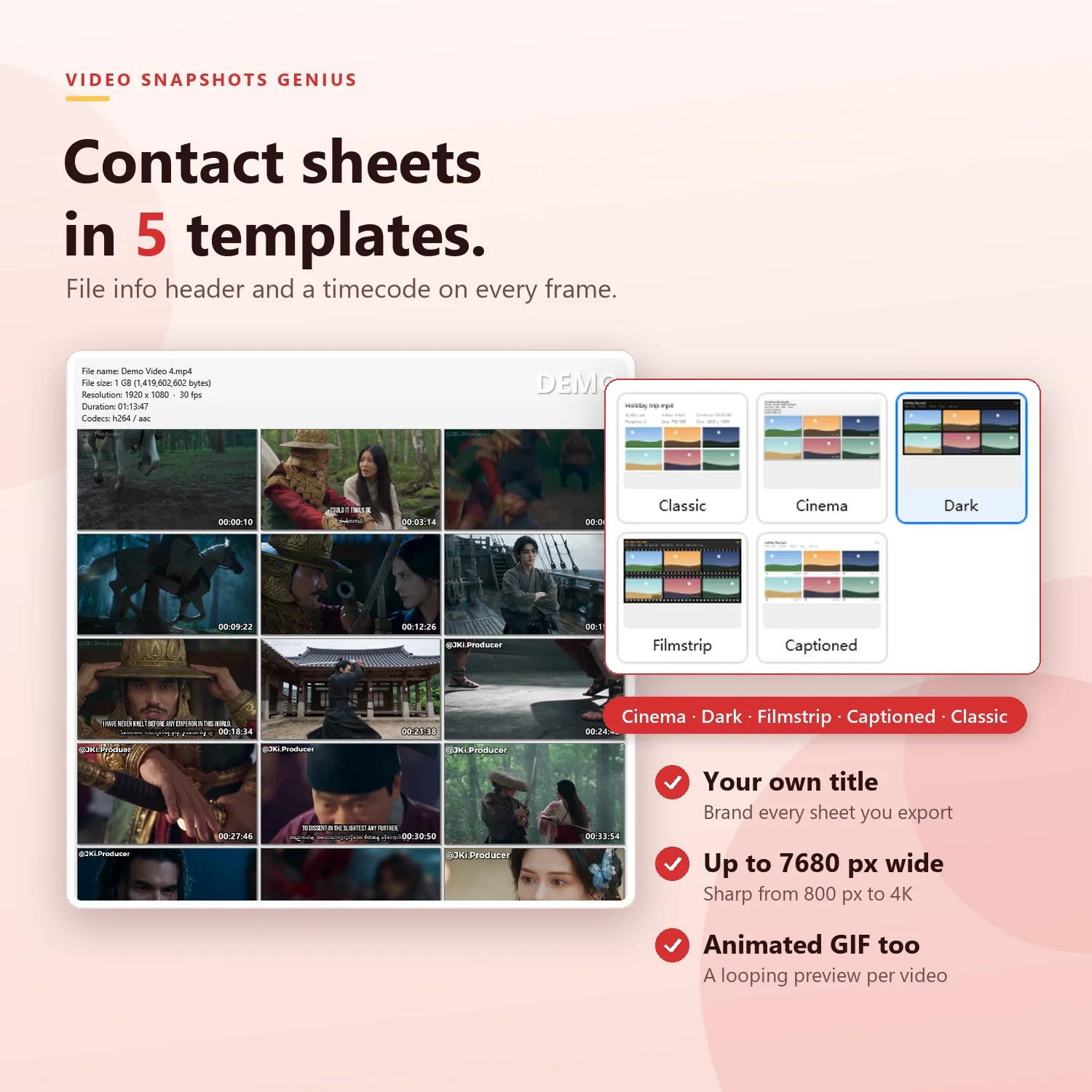
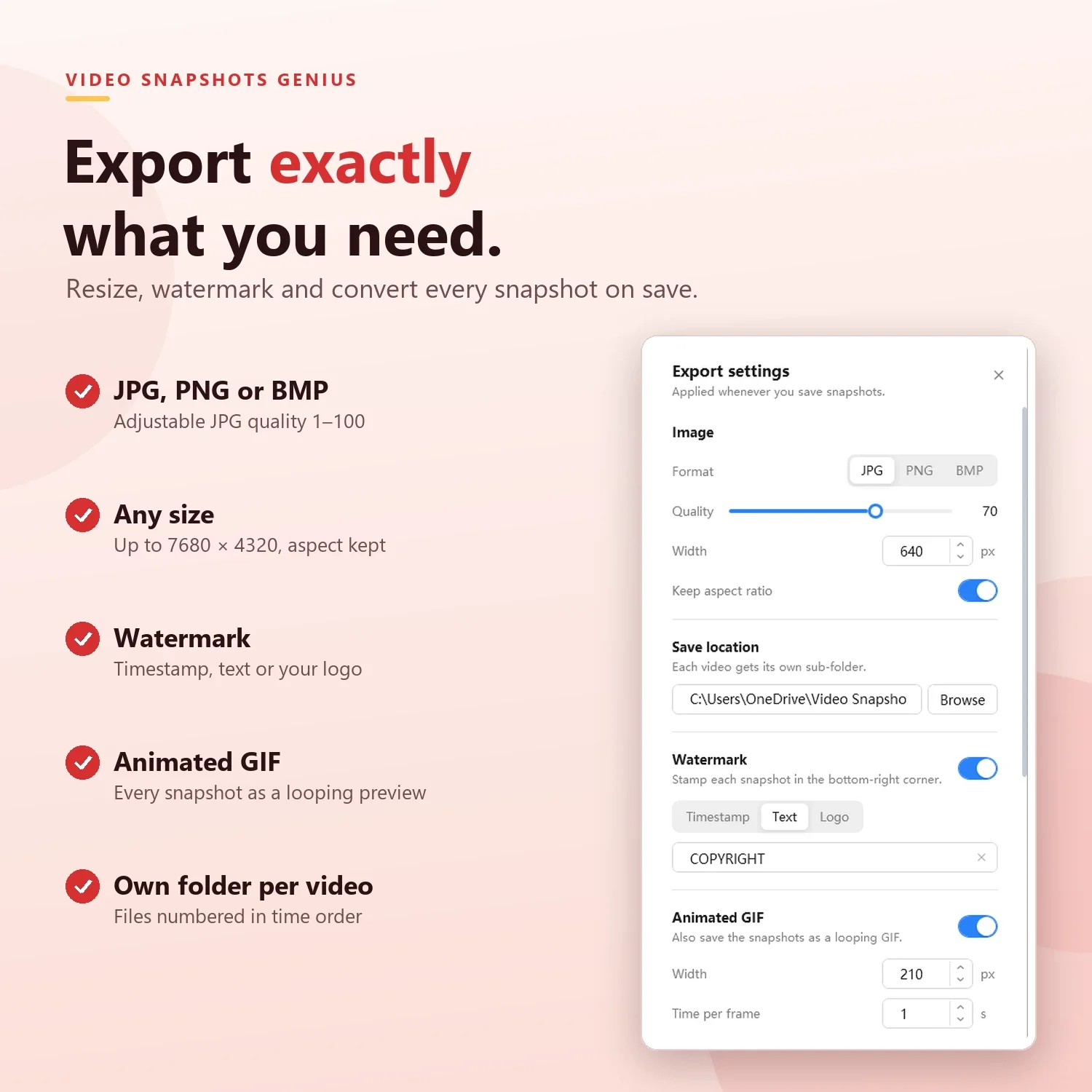
- Batch a whole folder; export JPG, PNG or BMP with resize and timestamp, text or logo watermark, plus animated GIF and 5 contact-sheet templates
- Built-in editor and annotations; 100% local, videos never leave your PC; Windows 10/11 64-bit; free 15-day trial with every feature unlocked
Product Details
Overview
Video Snapshots Genius is a Windows application that turns hours of video into clean, ready-to-publish images — automatically, in batches, and entirely on your own PC. It reads frames straight from the video file at the original resolution, spaces them evenly across the timeline (or lets you pick the exact frame by hand), drops blank black, white and single-color frames, and exports everything at once — resized, watermarked, as JPG, PNG or BMP, plus an animated GIF and a contact sheet if you want them.
One video or a whole folder of them. Seconds instead of an afternoon. No cloud upload, no codec hunting.
Why Screenshots Are the Wrong Tool
- Wrong resolution — a screenshot gives you the player window or monitor size, not the source video’s
- Contamination — progress bars, subtitle overlays, cursors and player controls creep into the shot
- Manual and slow — guessing timestamps, scrubbing back and forth, deleting black transition frames by hand
- Not the end of the job — every frame still needs resizing, a watermark and a consistent format, usually in another tool
Frame-Accurate Capture at Source Quality
Video Snapshots Genius decodes each frame directly from the file with the built-in FFmpeg engine. Snapshots keep the video’s original resolution, the correct pixel aspect ratio (non-square-pixel footage such as DVDs is corrected automatically) and the correct orientation (portrait phone videos come out upright). Resizing happens only at export, so you can change the output size as often as you like without re-capturing.
Smart Automatic Capture
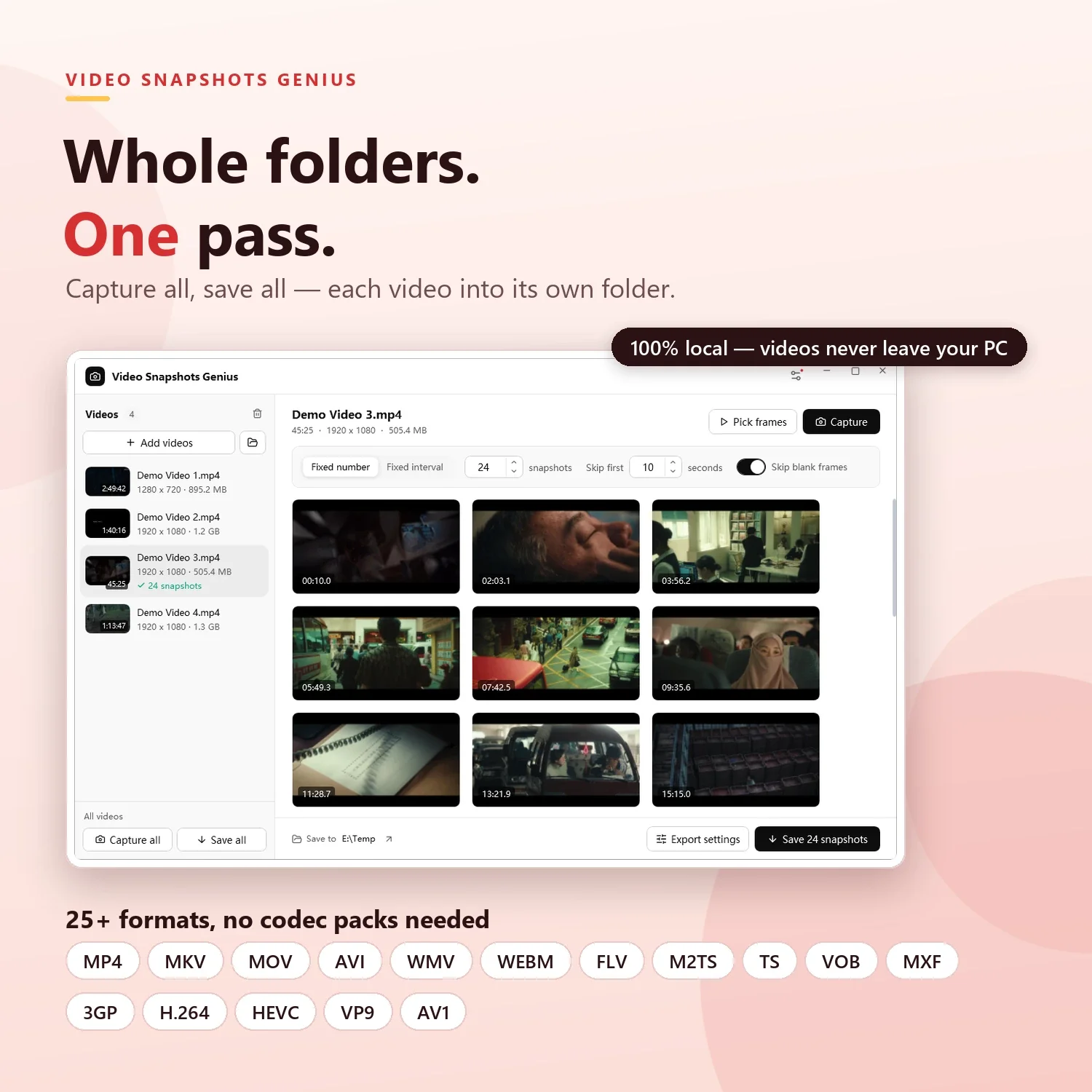
- Fixed number — “Give me 24 shots of this video,” spread evenly from start to finish
- Fixed interval — “One shot every 60 seconds,” ideal for long recordings, lectures and surveillance-style footage
- Skip first — jump past opening credits, logos and countdowns
Skip Blank Frames
With Skip blank frames on (the default), every captured frame is checked before it is kept. A cut to black, a white flash or a solid-color transition is discarded.
- Careful, not aggressive — a frame counts as blank only when about 98% of it is a single color. Dark night scenes and low-light shots are kept; a black screen with just a tiny logo or one credit line is dropped
- It fills the gap — in Fixed number mode, a blank frame is replaced by the nearest usable one, so “24 snapshots” still means 24
- It respects your intent — Fixed interval keeps strict spacing, and frames you pick by hand are never filtered
- It tells you — if a blank frame could not be replaced, you get a short notice with the count
Pick Frames by Hand
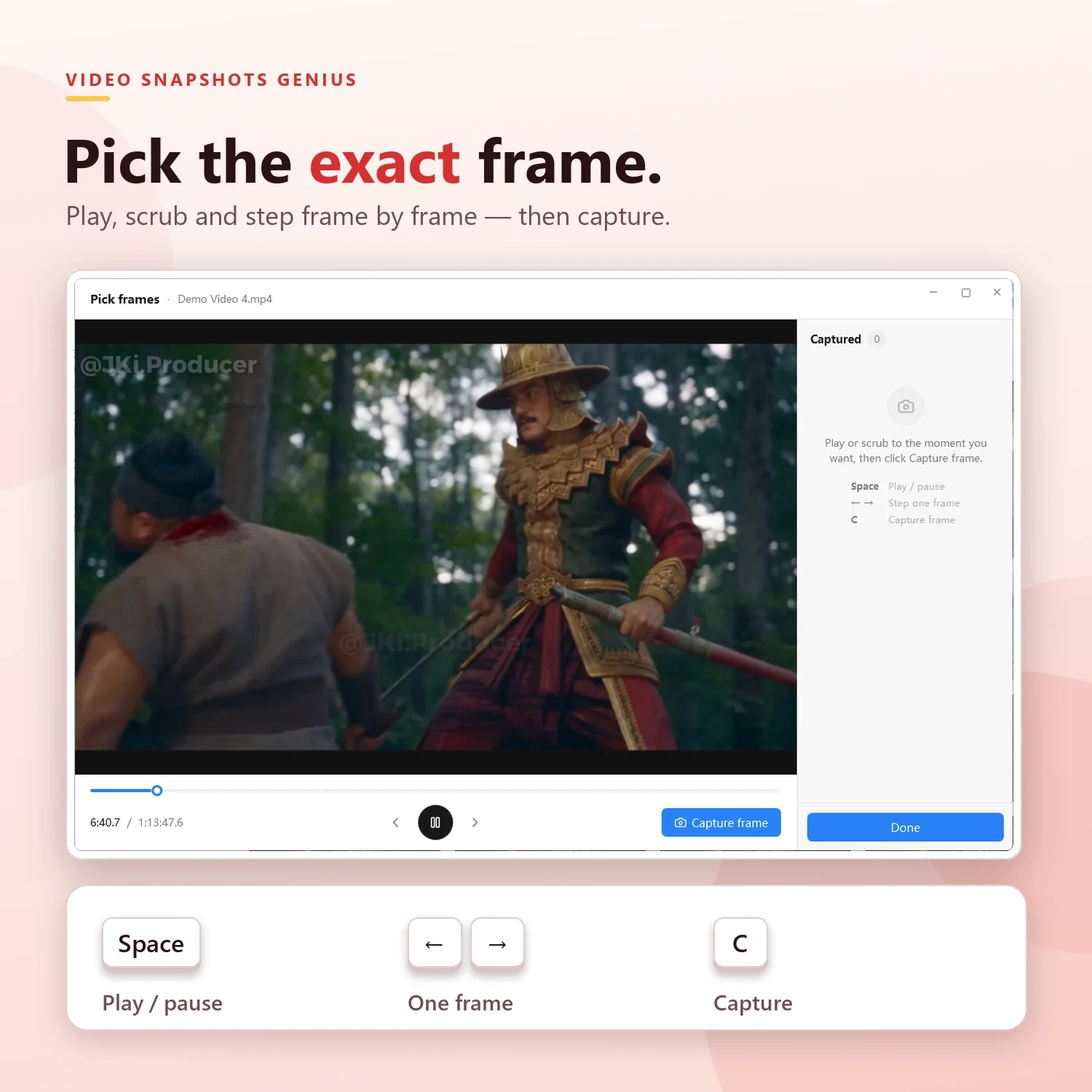
For the perfect expression, the slide on screen for half a second or the exact moment of a goal, open Pick frames: play, pause and scrub, step one frame back or forward with the arrow keys, and press C to capture. Hand-picked frames join the automatic ones, sorted by time.
Built for Batches
- Drag in several files or a whole folder; each video’s duration, resolution and codecs are read, and a cover thumbnail is shown
- Capture all and Save all process every video in one pass, each into its own sub-folder
- Progress is shown throughout, you can cancel at any time, and if one file fails the rest still complete
Export Exactly What You Need
- Formats — JPG (quality 1–100), PNG or BMP
- Size — any width and height, up to 7680 × 4320 px, with or without keeping the aspect ratio
- Watermarks — timestamp, custom text or a logo image (transparent PNG supported)
- Files are numbered in time order, and your settings are remembered for the next batch
Animated GIFs and Contact Sheets
Every video can also produce an animated GIF preview with adjustable width and time per frame, and a contact sheet with a video-info header (file name, size, resolution, frame rate, duration, codecs) and your own title. Choose from five templates:
- Cinema (default) — the classic media-player thumbnail sheet with framed shots, drop shadows and outlined timecodes
- Dark — a sleek dark canvas with rounded frames and timecode badges, made for screens and social posts
- Filmstrip — rows of film with sprocket holes and amber labels
- Captioned — clean white cards with shot number and timecode, ideal for reports and print
- Classic — a plain white sheet with the file name and codecs on top
Edit and Annotate Without Leaving the App
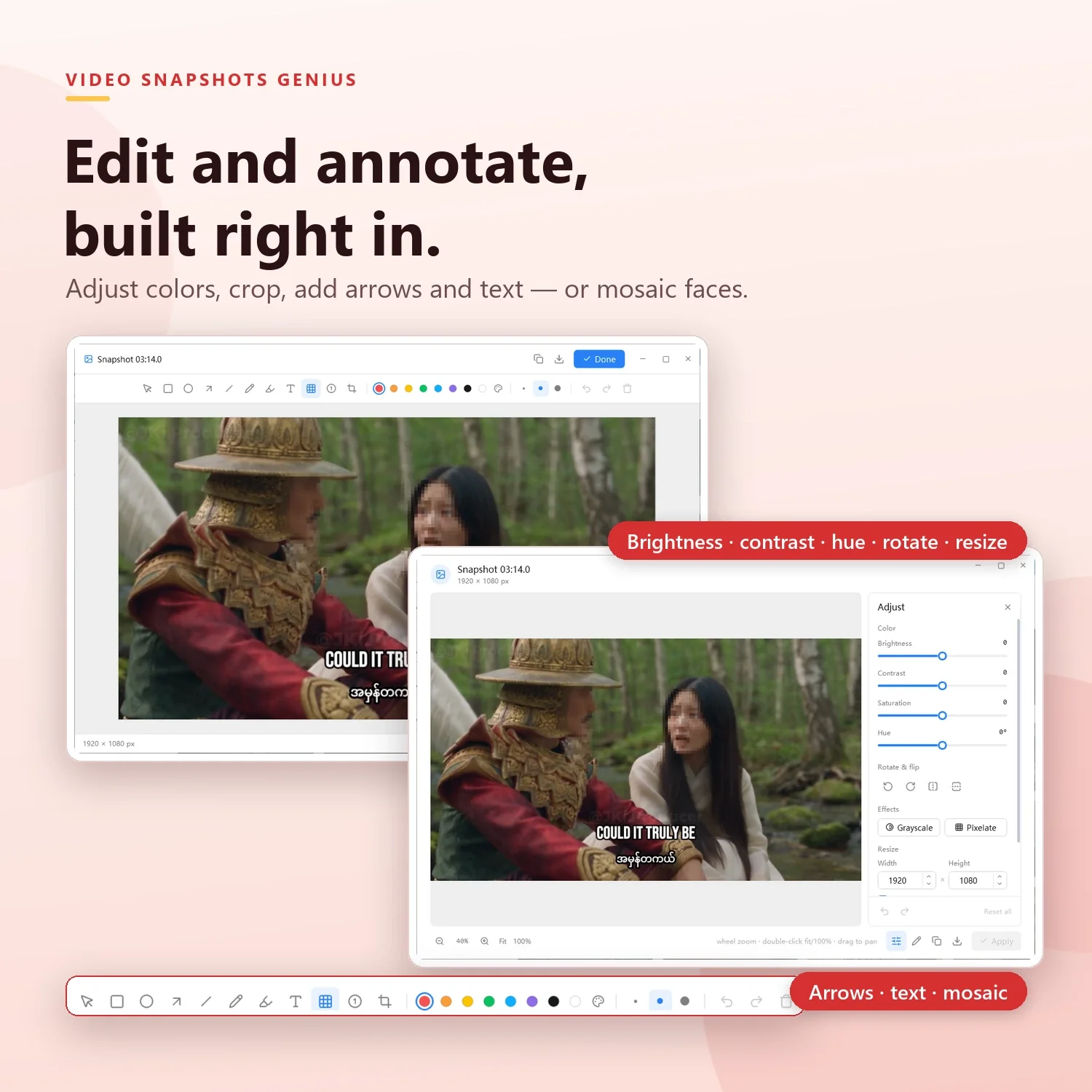
- Adjust brightness, contrast, saturation and hue; rotate, flip, grayscale, pixelate and resize
- Annotate with rectangles, ellipses, arrows, lines, pen, highlighter, text, numbered markers and crop
- Mosaic to hide faces, license plates or personal data
- Unlimited undo/redo, copy to clipboard or save as a separate file; the edited version is used for every export, GIF and contact sheet
Works With the Videos You Actually Have
MP4, MKV, MOV, AVI, WMV, WEBM, FLV, MPEG, M2TS/MTS, TS, VOB, MXF, 3GP and more — 25+ container formats, with H.264, H.265/HEVC, VP9, AV1, MPEG-2 and MPEG-4 decoding built in. Nothing extra to install: no codec packs, no external players.
Who It’s For
- Content creators and YouTubers — thumbnail candidates in one click and GIF teasers for social media
- Marketers and e-commerce teams — product videos turned into catalog images with your logo on every frame
- Educators and trainers — lectures and screencasts as slide-ready stills, annotated with arrows and numbered markers
- Technical writers and support teams — exact frames from software demos, with sensitive data blurred
- Video editors — contact sheets with codec and duration headers for reviewing footage and sharing dailies
- Archivists and researchers — whole folders of recordings batch-processed into organized stills
- Families and hobbyists — the best moments from phone and camcorder videos as printable photos
Private by Design
Your videos never leave your computer. Decoding, analysis and export all happen locally. An internet connection is needed only once, to activate your license, and never for capturing or saving.
Free Trial, License and Requirements
- 15-day free trial with every feature unlocked: batch capture, blank-frame filtering, GIFs, every contact-sheet template and the editor
- After purchase, enter your name, email and license key under Settings → License to activate permanently on that PC
- Windows 10 / Windows 11, 64-bit (x64)
- .NET Framework 4.7.2 or later (included with Windows 10 1803+ and Windows 11)